For the operation of WordPress, we recommend at least our Hosting One (or Hosting L) or one of our WordPress hostings specially optimized for this CMS.
For smaller hosting packages, the following tips can help to improve performance.
As WordPress and the plugins are constantly being expanded, problems can occur.
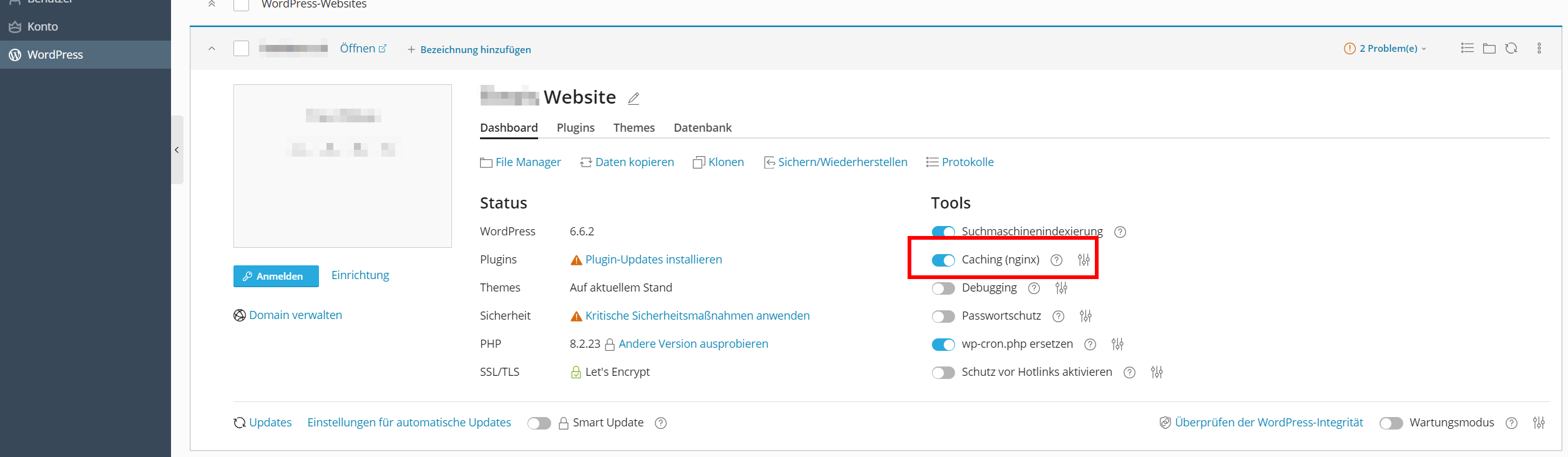
1. Caching
Use a caching plugin. Make sure that the caching (nginx) is not active at the same time. Only one may be active, otherwise there will be problems. You can deactivate or activate caching (nginx) in your Plesk under WordPress.
Plugin recommendations:
- WP Rocket
- WP Super Cache
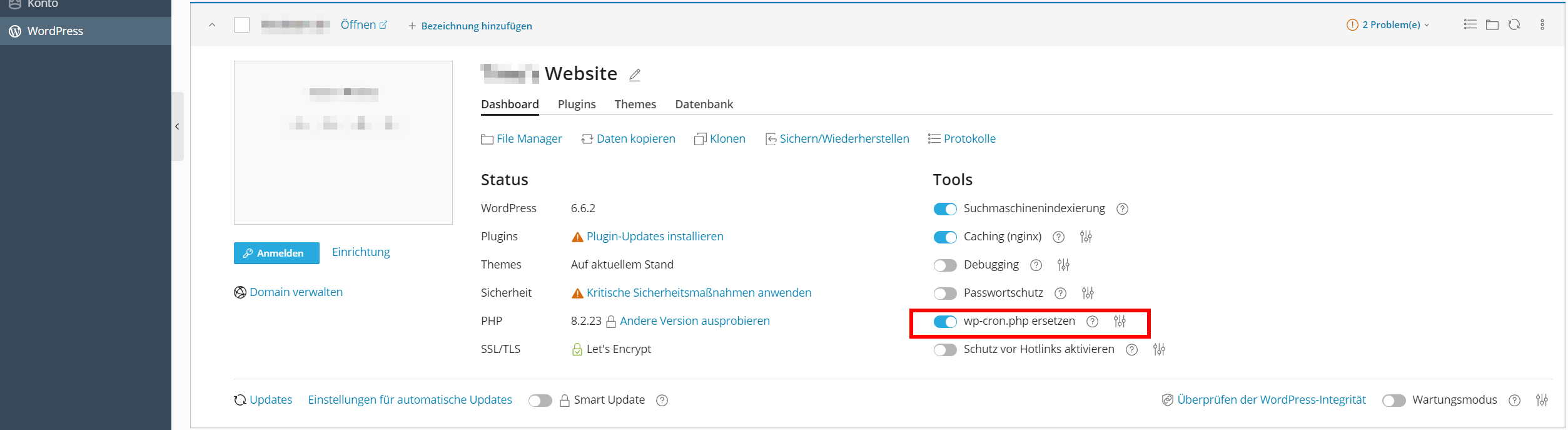
2. WP-cron.php ersetzen aktivieren
This step is also useful for making WordPress faster. To do this, set the “Replace wp-cron.php” function to active in Plesk under WordPress.
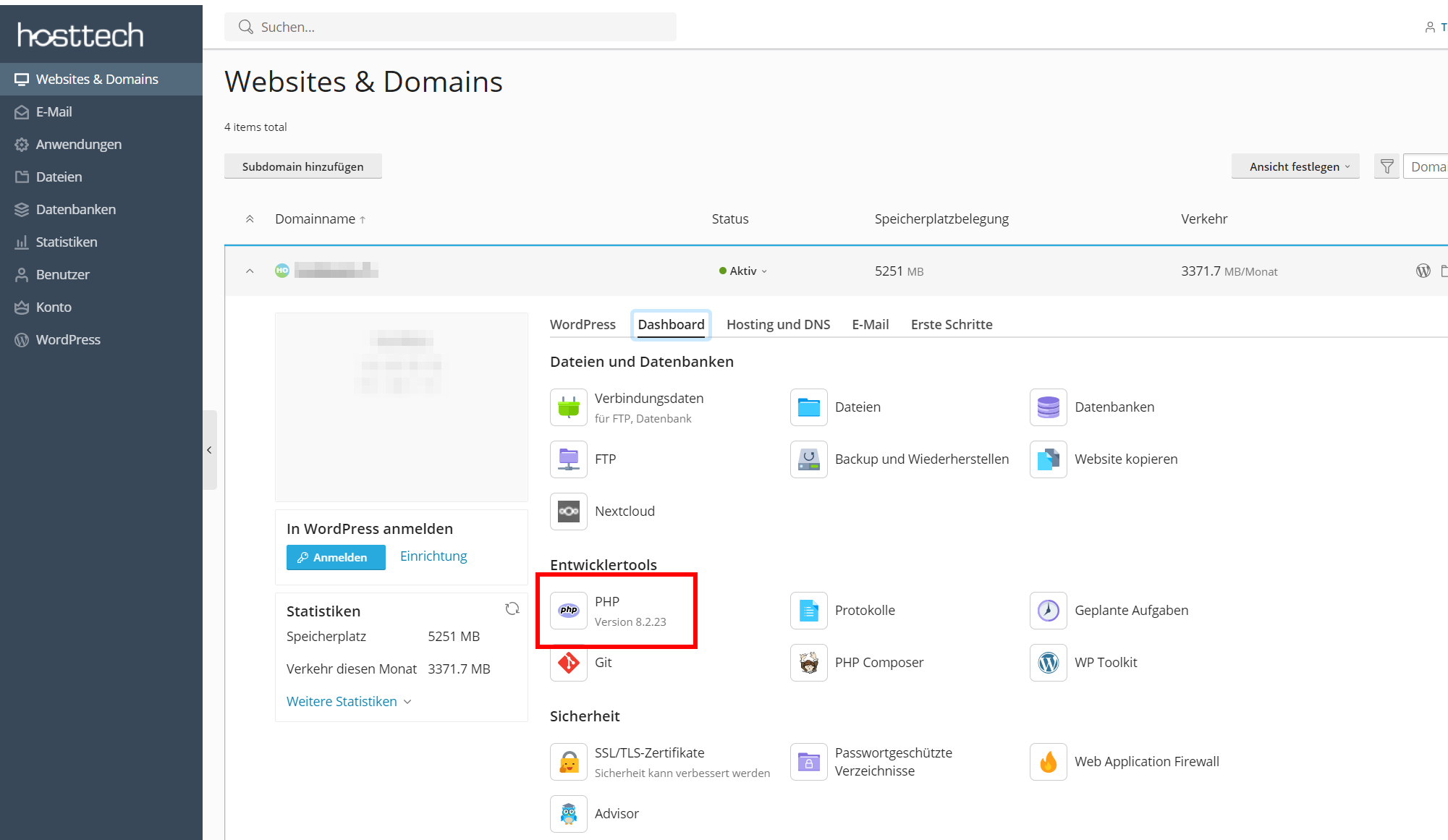
PHP
Increase the memory_limit. Here you go to the PHP settings of your domain. You can find these in Plesk on the dashboard under “Developer tools” “PHP”.
Make the selection in the PHP settings under “memory_limit” in the drop-down menu and save the PHP settings.
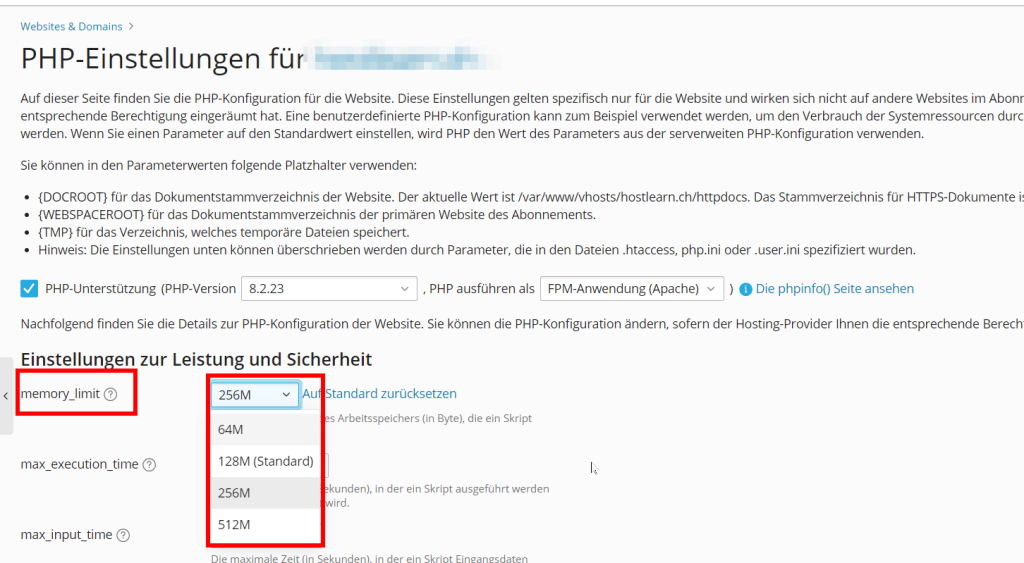
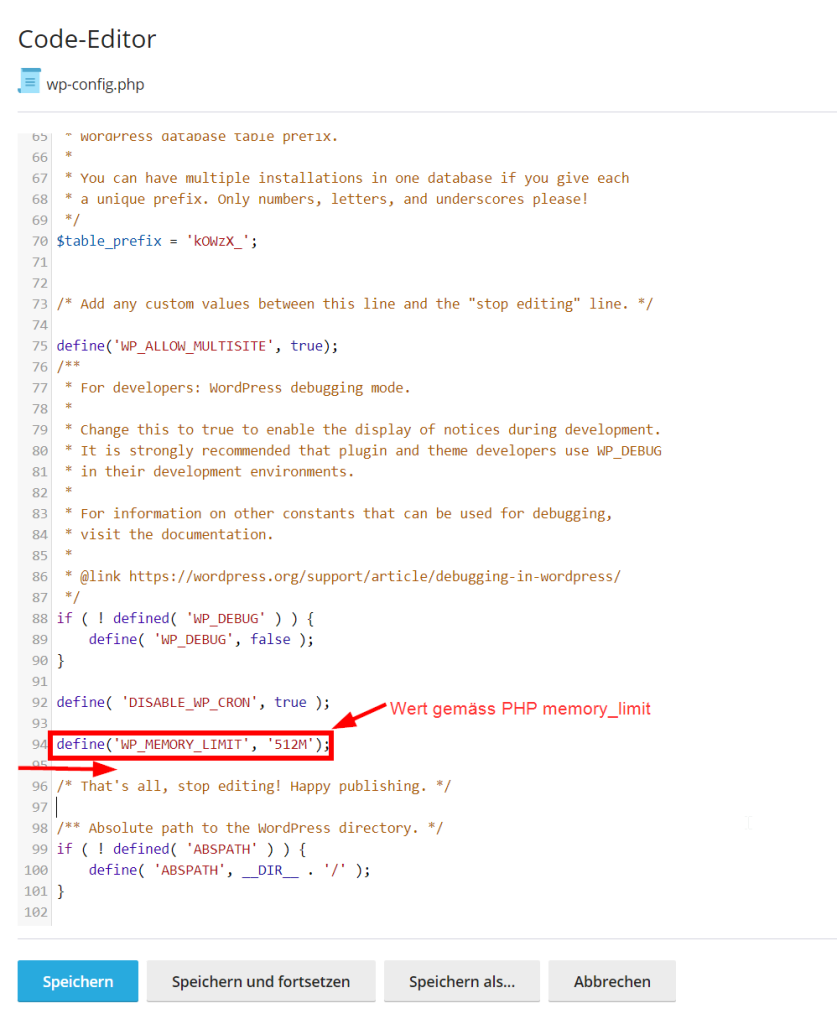
Once you have done this, open the configuration file “wp-config.php”. You can find this under Files> httpdocs of your domain.
Put the following value in front of the sentence “/* That’s all, stop editing! Happy publishing. */” and save the change.
define('WP_MEMORY_LIMIT', '256M');