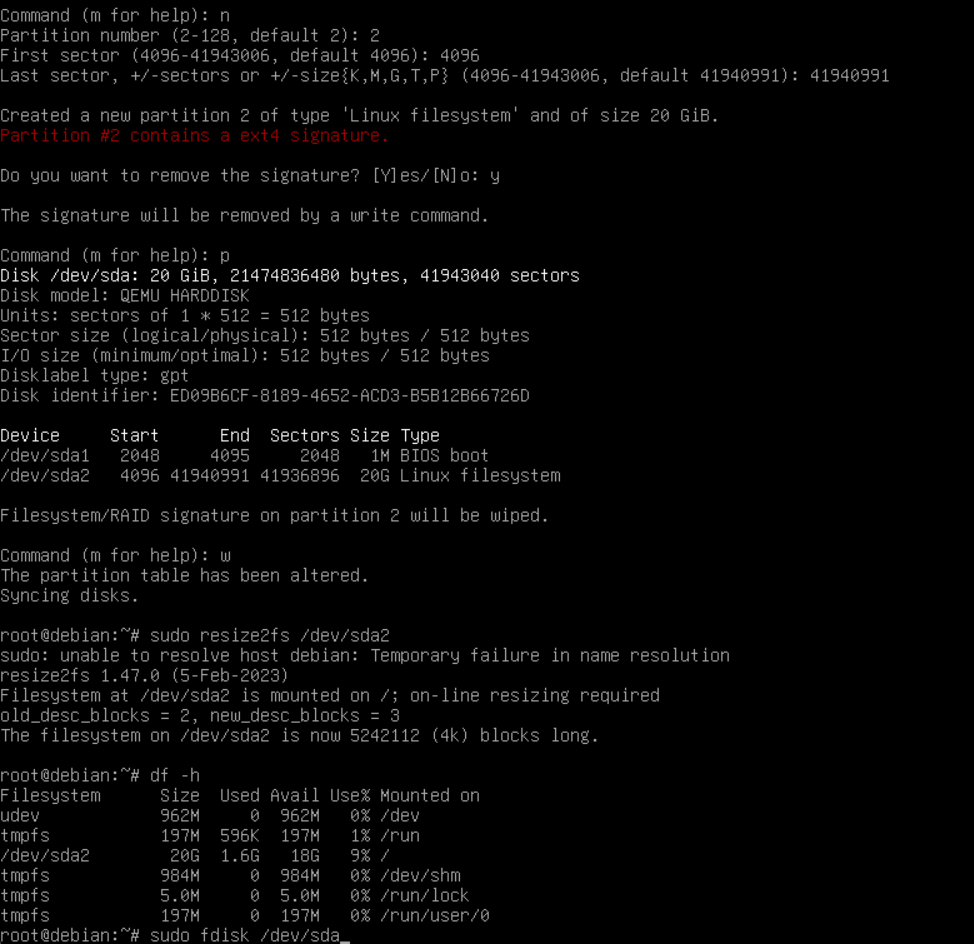
Speicher im vDC erweitern
Edit storage and increase memory. This can be done during operation without having to shut down the storage or server and takes just a moment.
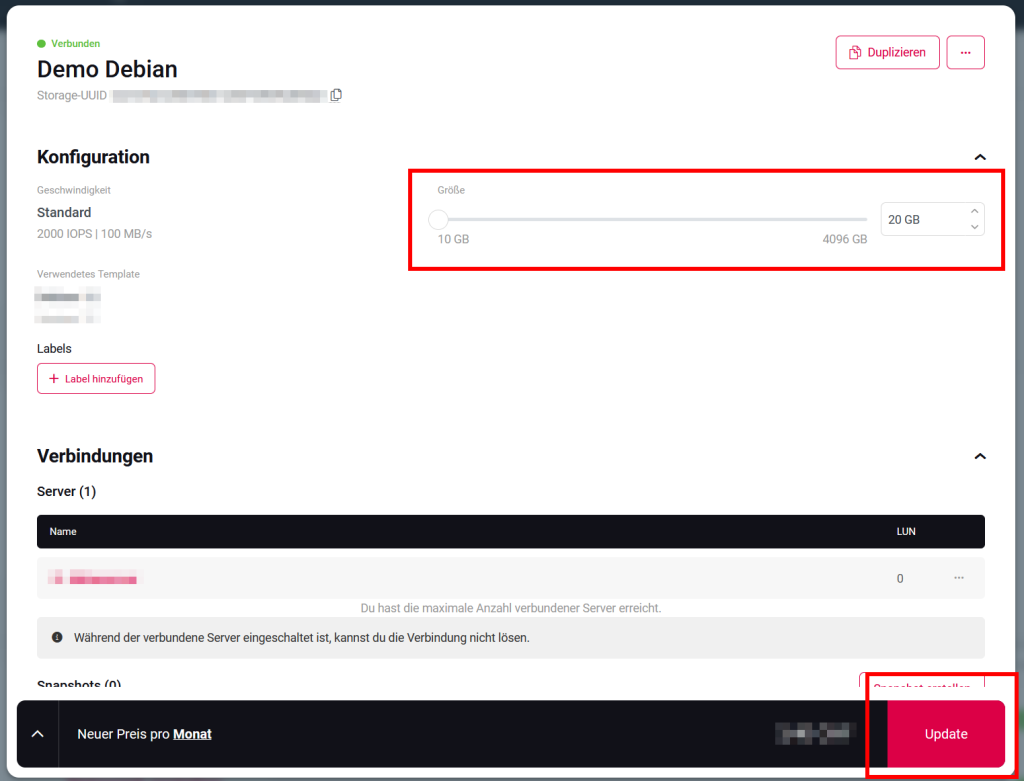
Windows Server
- Log in to your Windows server.
- Open “Computer Management”.
- Switch to Storage > Disk Management.
- Right-click on the partition to be extended and select “Extend Volume…” and follow the steps.
Ubuntu
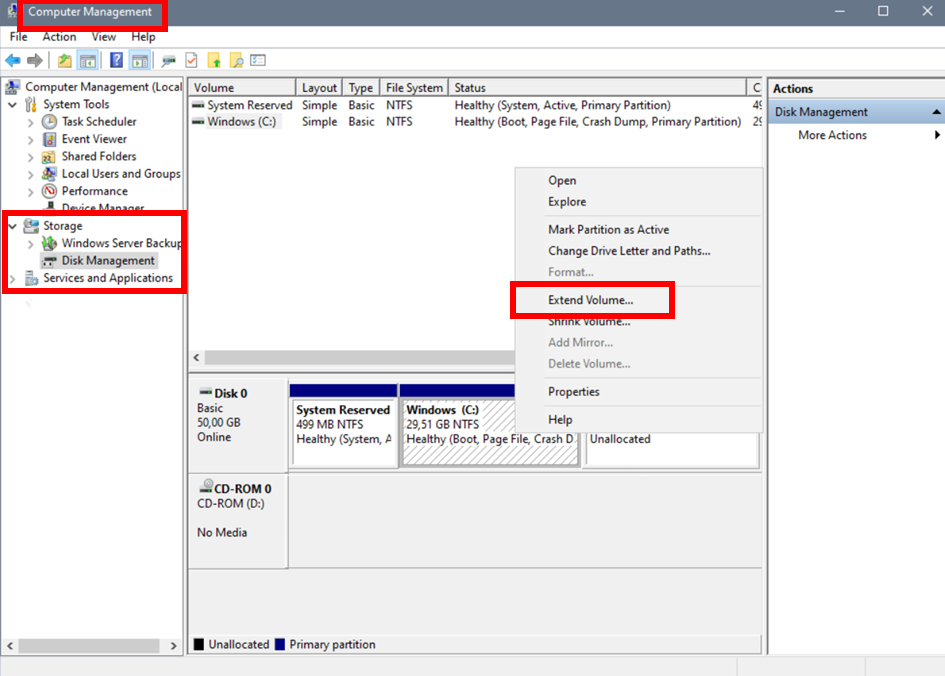
Current hard disk and partition status
df -hExtend partition
sudo parted /dev/sdaShow partitions
printPartition extension
resizepart 2 100%Partition is extended and parted can be terminated with :
quitFile system customization
sudo resize2fs /dev/sda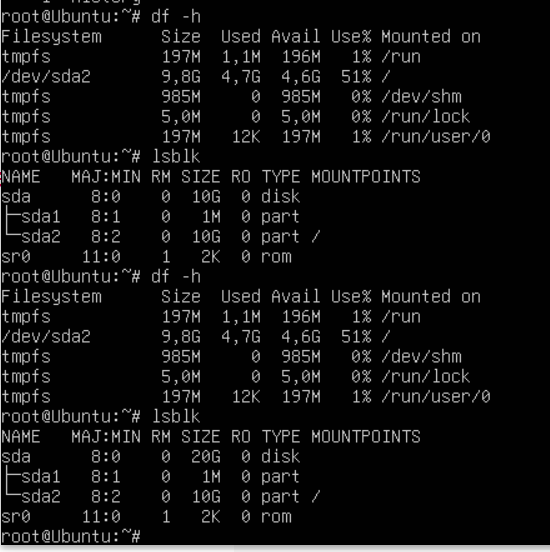
Debian 12 und CentOS
Current hard disk and partition status
df -hStart fdisk to begin the expansion.
sudo fdisk /dev/sdaDisplay the partition table:
PDelete the partition you want to extend. Don’t worry, your data will not be lost if you create the partition with the same sectors.
dRecreate the partition.
nYou will then be asked which partition number, first sector and last sector. Enter the “default” value here. Finally, confirm with y.
Check whether the partition was created correctly.
pIf everything is correct, use the following command to save everything:
wNow the file system needs to be extended, enter the following command:
sudo resize2fs /dev/sda2Check everything again:
df -h